Scientific Documents
Dashboard for Scientific Documents
The Scientific Documents dashboard provides an overview of EBRAINS-related scientific outputs, including publications, datasets, and software. It allows stakeholders to monitor scientific production, access rights, publishers, journals, and citations over time.
The dashboard supports the assessment of EBRAINS scientific impact by aggregating outputs associated with EBRAINS according to the selected relation types.
Prompts
| No | Prompt | Description |
|---|---|---|
| 1 | Relation Type | Select the relation type used to associate scientific documents with EBRAINS. If multiple values are selected, all matching documents are included |
| 2 | Time Range | Define the time range for which the dashboard will display data |
Note: The dashboard displays data according to the selected time range and applied filters. Some metadata fields, such as access rights, publishers, journals, or citations, may be grouped under unspecified when the information is not available.
Sections
Publications
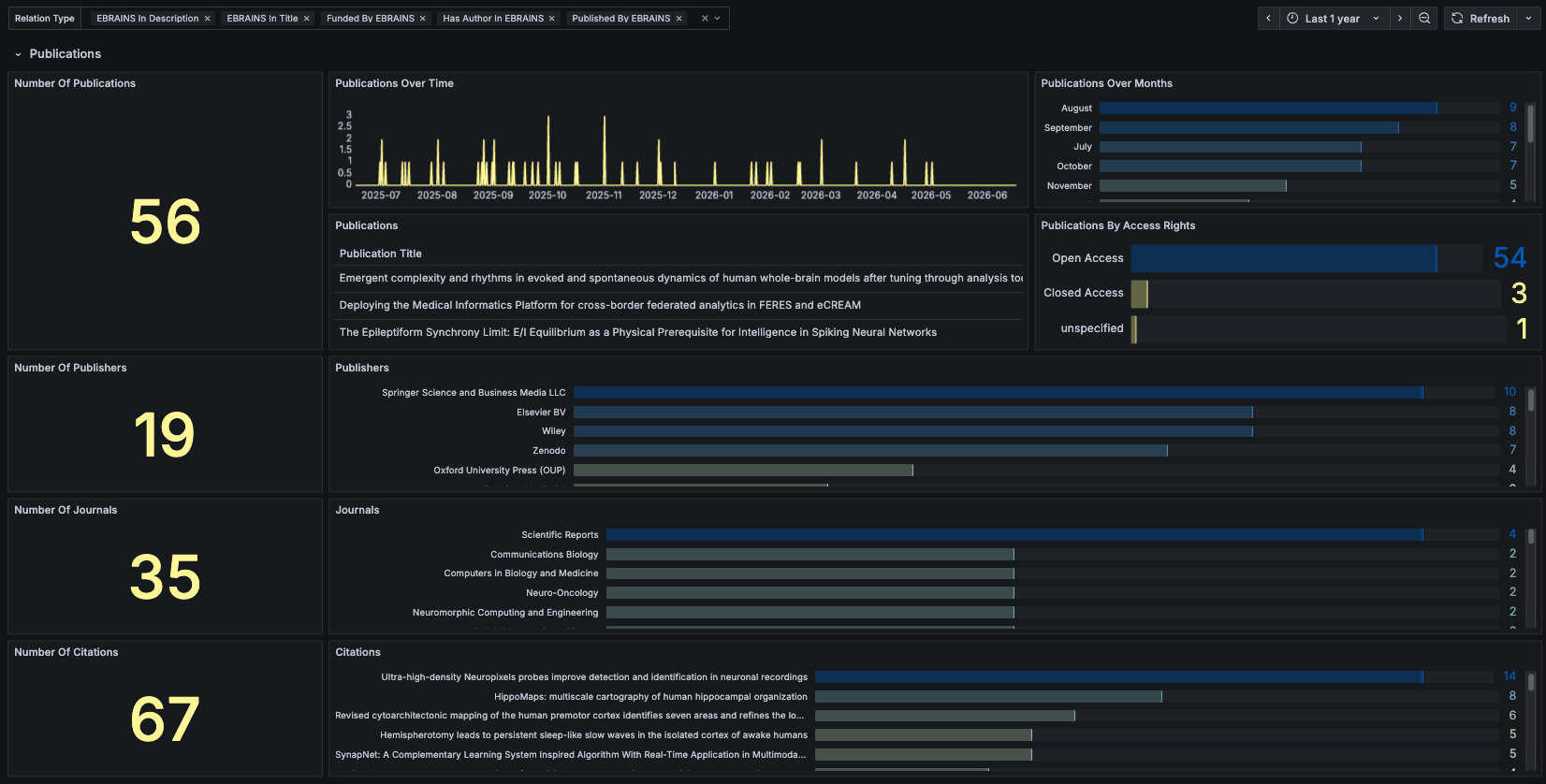
| No | Frame | Description |
|---|---|---|
| 1 | Number Of Publications | Displays the total number of publications based on the applied filters |
| 2 | Publications Over Time | Displays the number of publications over time based on the selected time range and applied filters |
| 3 | Publications Over Months | Displays months categorized by the number of publications |
| 4 | Publications | Displays the list of publications matching the applied filters |
| 5 | Publications By Access Rights | Displays publications categorized by access rights |
| 6 | Number Of Publishers | Displays the total number of publishers associated with the selected publications |
| 7 | Publishers | Displays publishers categorized by the number of publications |
| 8 | Number Of Journals | Displays the total number of journals associated with the selected publications |
| 9 | Journals | Displays journals categorized by the number of publications |
| 10 | Number Of Citations | Displays the total number of citations associated with the selected publications |
| 11 | Citations | Displays publications categorized by the number of citations |
Datasets
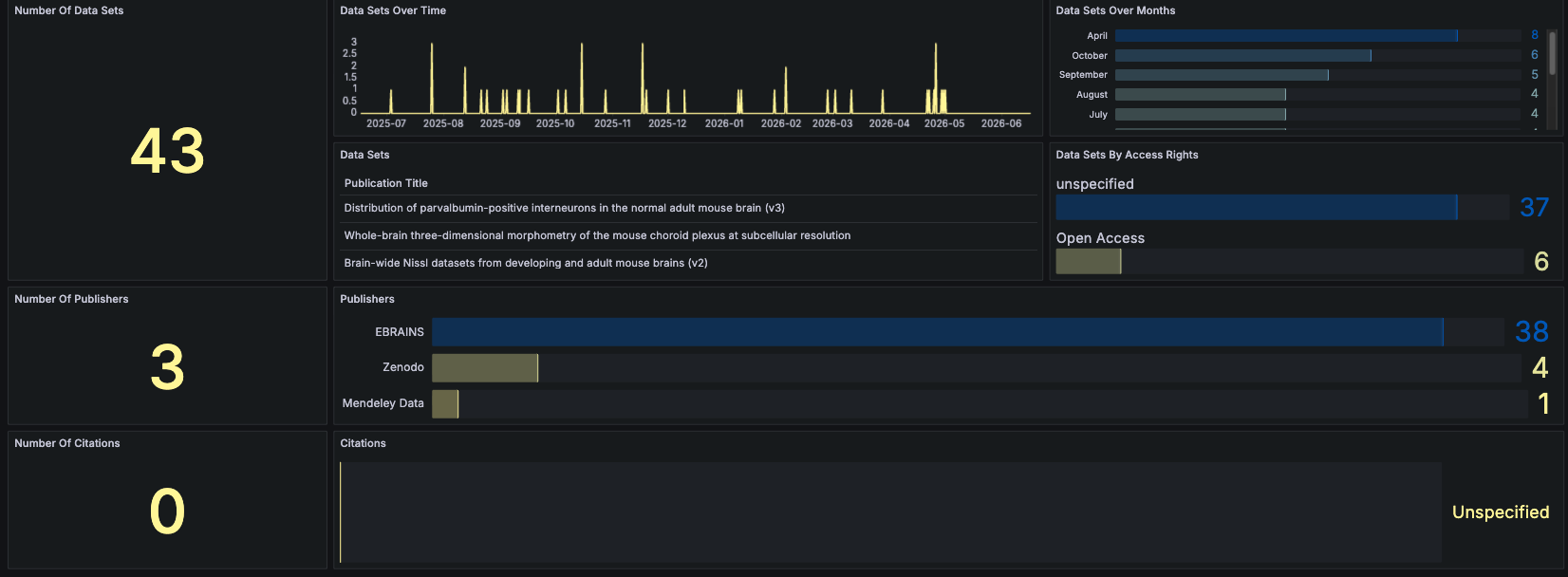
| No | Frame | Description |
|---|---|---|
| 1 | Number Of Data Sets | Displays the total number of datasets based on the applied filters |
| 2 | Data Sets Over Time | Displays the number of datasets over time based on the selected time range and applied filters |
| 3 | Data Sets Over Months | Displays months categorized by the number of datasets |
| 4 | Data Sets | Displays the list of datasets matching the applied filters |
| 5 | Data Sets By Access Rights | Displays datasets categorized by access rights |
| 6 | Number Of Publishers | Displays the total number of publishers associated with the selected datasets |
| 7 | Publishers | Displays publishers categorized by the number of datasets |
| 8 | Number Of Citations | Displays the total number of citations associated with the selected datasets |
| 9 | Citations | Displays datasets categorized by the number of citations |
Software
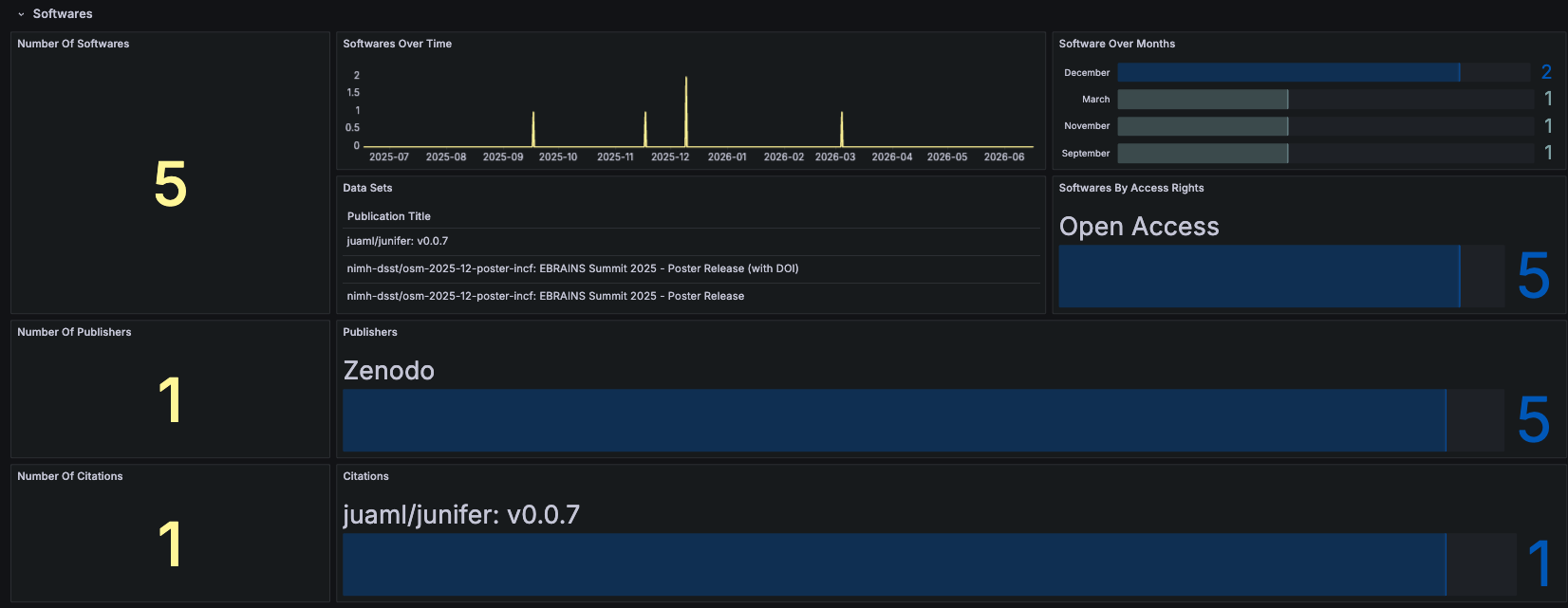
| No | Frame | Description |
|---|---|---|
| 1 | Number Of Softwares | Displays the total number of software outputs based on the applied filters |
| 2 | Softwares Over Time | Displays the number of software outputs over time based on the selected time range and applied filters |
| 3 | Software Over Months | Displays months categorized by the number of software outputs |
| 4 | Data Sets | Displays the list of software outputs matching the applied filters |
| 5 | Softwares By Access Rights | Displays software outputs categorized by access rights |
| 6 | Number Of Publishers | Displays the total number of publishers associated with the selected software outputs |
| 7 | Publishers | Displays publishers categorized by the number of software outputs |
| 8 | Number Of Citations | Displays the total number of citations associated with the selected software outputs |
| 9 | Citations | Displays software outputs categorized by the number of citations |